Array Methods You Must Know
Array methods explained through sweat, reps, and one obsessive coach

Turning chai into code and ideas into full-stack applications. Sharing lessons from my development journey, one commit at a time.
Your Personal Trainer in JavaScript - Array Methods
Array methods are your trainer — filter the bad reps, map your progress, reduce to one score.
📦 Before We Enter the Gym — What is an Array?
Before Coach Array can train you, you need to know what you're working with.
Imagine a row of gym lockers. Each locker has a number on it — starting from 0, not 1 — and holds exactly one thing inside. That row of lockers? That's an array.
An array is an ordered, indexed collection of values stored in a single variable. Instead of creating a separate variable for every piece of data, you put them all together in one place, in one line.
// Without an array — messy, unscalable
const rep1 = 5;
const rep2 = 12;
const rep3 = 3;
// ...what if you have 100 athletes?

// With an array — clean, powerful
const reps = [5, 12, 3, 15, 8];
You access any item by its index — the locker number:
const reps = [5, 12, 3, 15, 8];

console.log(reps[0]);  // 5   ← first item (index 0)
console.log(reps[1]);  // 12  ← second item (index 1)
console.log(reps[4]);  // 8   ← fifth item (index 4)

// Arrays always start at index 0 — not 1
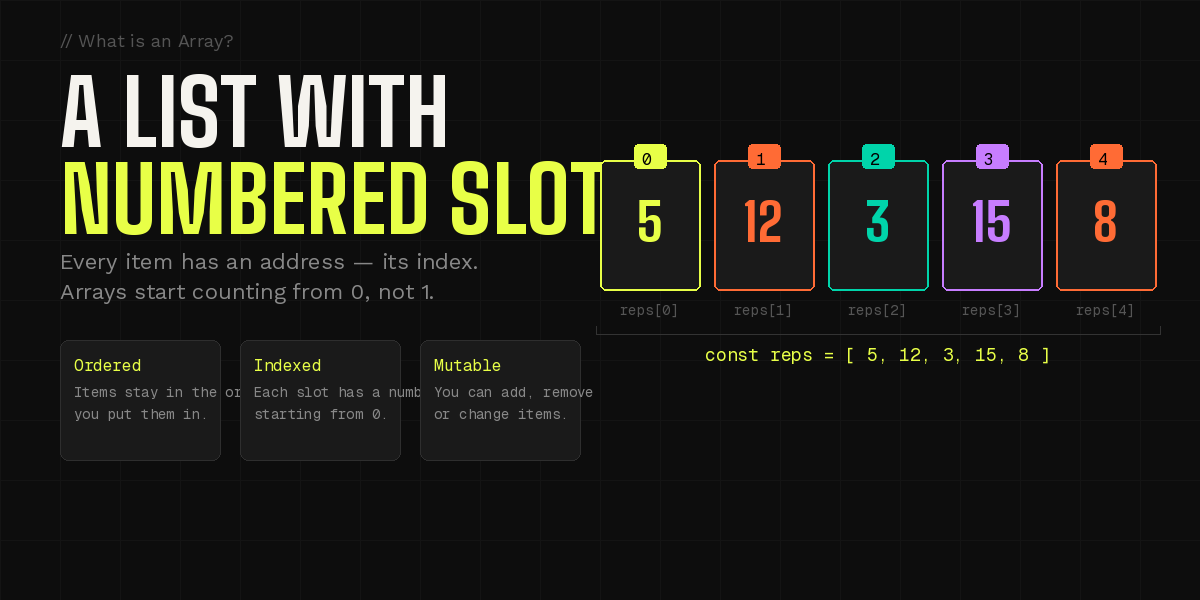
Three things every array guarantees:
Ordered — items stay exactly in the position you put them. Index 0 is always first.
Indexed — every item has an address (its index number) so you can reach it directly.
Mutable — you can add items, remove items, or change what's inside at any time.
const reps = [5, 12, 3, 15, 8];

console.log(reps.length);  // 5 ← how many items are in the array

// Change a value by its index
reps[2] = 10;
console.log(reps);  // [5, 12, 10, 15, 8]
💡 Index starts at 0. This trips up almost every beginner. The first item is
reps[0], notreps[1].Burn that into your memory now and save yourself hours of debugging later.
🤔 Why Do We Even Need Arrays?
Great question — and it's one worth really answering before you learn any methods.
Let's say you're building a fitness app. You need to store the rep counts for five athletes. Without arrays, you'd do this:
const athlete1Reps = 5;
const athlete2Reps = 12;
const athlete3Reps = 3;
const athlete4Reps = 15;
const athlete5Reps = 8;
Fine for five. But what happens when you have 50 athletes? Or 500? You'd have 500 separate variables. You couldn't loop over them. You couldn't sort them. You couldn't filter out the bad reps. You'd be stuck.
Arrays solve all of this in one shot:
const reps = [5, 12, 3, 15, 8];

// Loop over all of them
for (let i = 0; i < reps.length; i++) {
  console.log(reps[i]);
}

// Or even cleaner (coming up shortly)
reps.forEach(r => console.log(r));
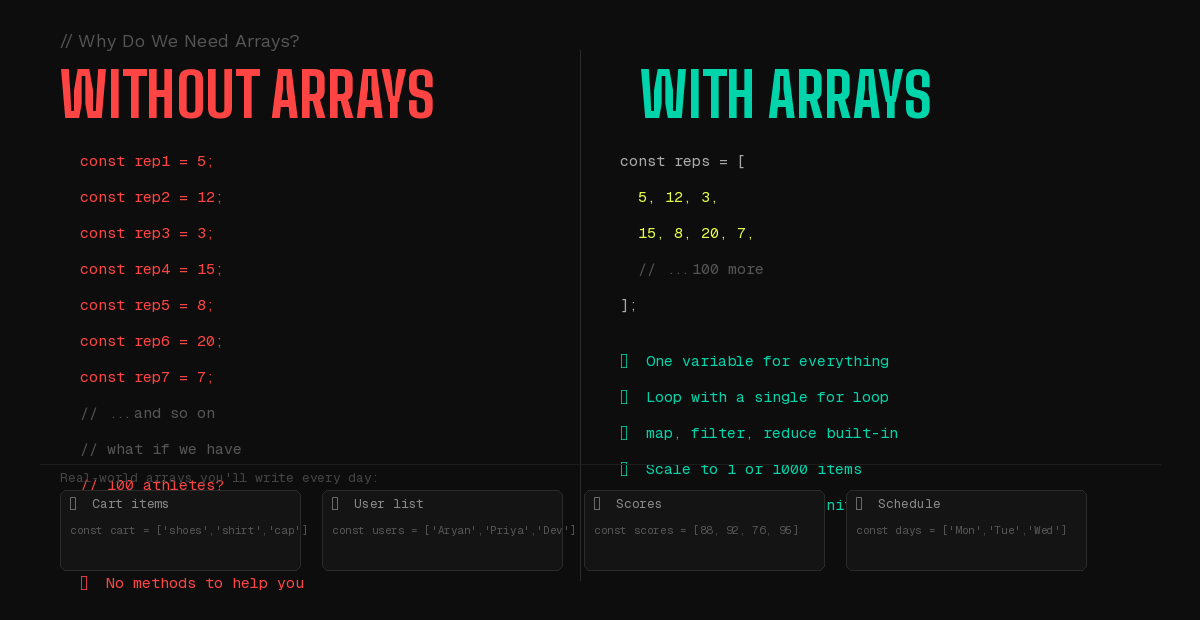
Arrays let you treat a collection as one thing
You can pass an entire list of 500 items into a function as a single argument. You can return a whole dataset from an API call. You can store every item in a shopping cart, every message in a chat, every score on a leaderboard — all in one variable that travels as one unit.
// Real-world arrays you'll write every day
const cartItems  = ['shoes', 'shirt', 'cap'];
const users      = ['Aryan', 'Priya', 'Dev'];
const scores     = [88, 92, 76, 95, 100];
const weekdays   = ['Mon', 'Tue', 'Wed', 'Thu', 'Fri'];

// Arrays can hold any type — even mixed
const mixed = [42, 'hello', true, null, { name: 'Aryan' }];
The real power: methods
An array isn't just storage. JavaScript gives you a built-in toolkit of methods that let you work with your list in powerful, expressive ways — without writing dozens of lines of loop logic from scratch.
That toolkit is what Coach Array is here to teach you.
💡 Use a single variable when you have one value. Use an array the moment you have a list of values — even if it's just two items. The habit will save you constantly.
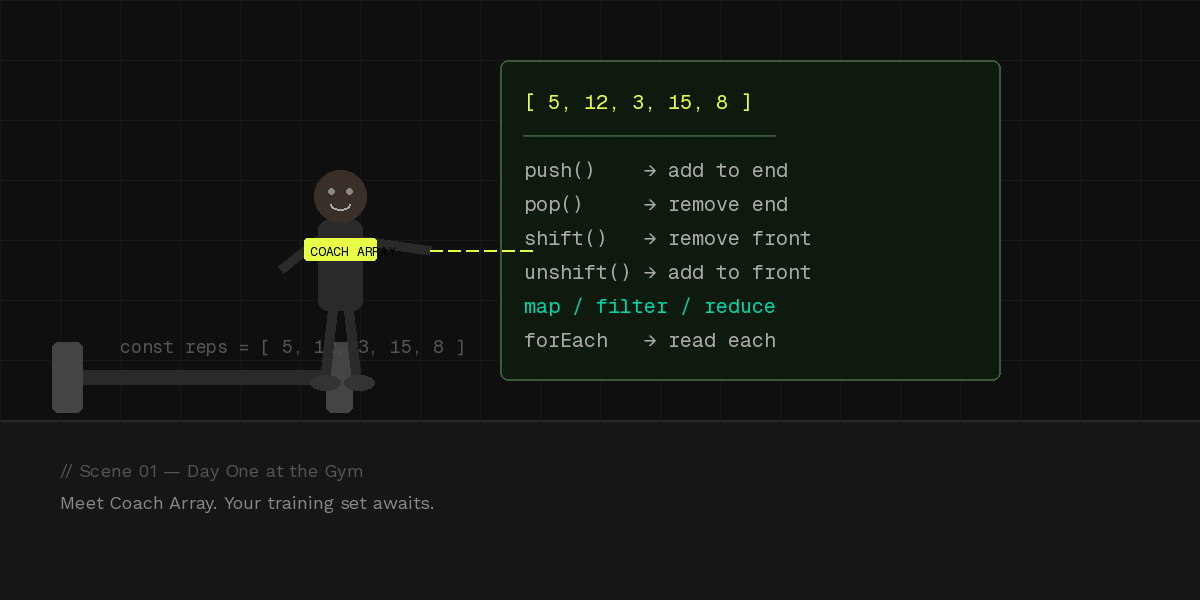
🏋️ Day One at the Gym
It's 6am. You walk into the gym with a notepad, a protein shake, and absolutely zero idea what you're doing.
Your trainer — Coach Array — is already there. No small talk. He hands you a whiteboard with a list of exercises and says:
"This is your training set. Everything we do today, we do to this list."
In JavaScript, that list is an array — an ordered collection of items you can operate on, transform, grow, or shrink.
const reps = [5, 12, 3, 15, 8];
//            ↑ your training set for today
Coach Array has six commands for you today. Let's go.
📌 The Rack: push() and pop()
Coach hands you a barbell rack.
"Start with nothing. We add weights one by one."
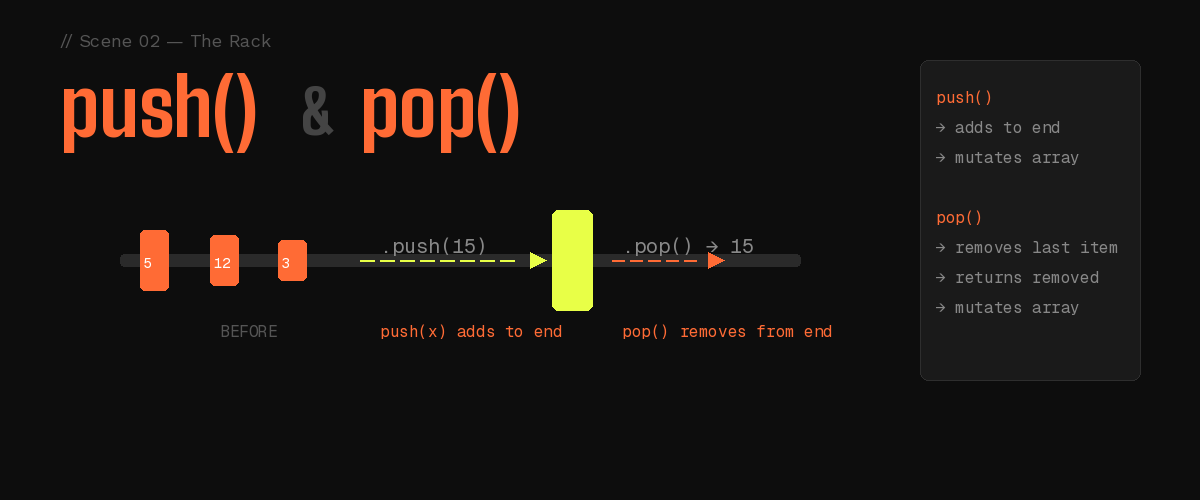
That's push() — it adds an item to the end of your array, like loading a plate onto the bar.
Finished with that weight? pop() pulls the last plate right off. The array shrinks by one, and returns the item you removed.
Before push:   [ 5, 12, 3 ]
                              ← .push(15)
After push:    [ 5, 12, 3, 15 ]
                              ← .pop()
After pop:     [ 5, 12, 3 ]    (returns: 15)
const reps = [5, 12, 3];

reps.push(15);  // add to end  → [5, 12, 3, 15]
reps.push(8);   // add again   → [5, 12, 3, 15, 8]

reps.pop();     // removes 8  → [5, 12, 3, 15]
// pop() also returns the removed value: 8
| Before | After | |
|---|---|---|
push(15) |
[5, 12, 3] |
[5, 12, 3, 15] |
pop() |
[5, 12, 3, 15] |
[5, 12, 3] |
💡 push loads a plate onto the end. pop pulls the last one off. Both work the back of the array.
📌 The Queue: shift() and unshift()
Now Coach points to the front of the gym queue.
"Sometimes your athletes line up and the first one steps forward."
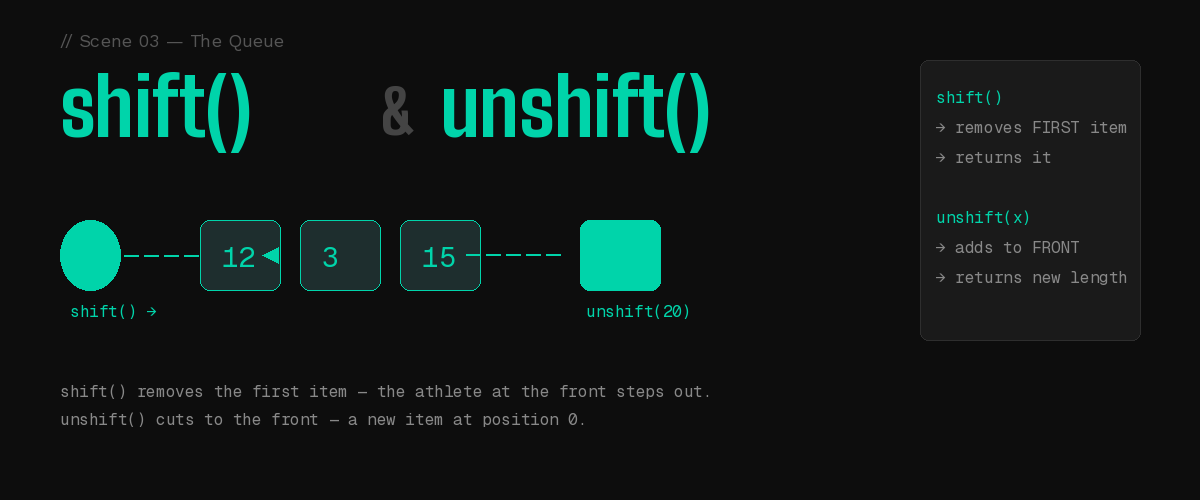
That's shift() — it removes the first item from the array.
Need to cut someone to the front? unshift() adds an item at the very beginning, pushing everyone else back.
Queue:             [ 12,  3, 15 ]
.shift()    →      [     3, 15 ]   (removes 12 from front)
.unshift(20) → [ 20,  3, 15 ]     (adds 20 to front)
const queue = [12, 3, 15];

queue.shift();       // removes 12    → [3, 15]
queue.unshift(20);   // adds at front → [20, 3, 15]
| Before | After | |
|---|---|---|
shift() |
[12, 3, 15] |
[3, 15] |
unshift(20) |
[3, 15] |
[20, 3, 15] |
💡 push/pop work the back. shift/unshift work the front. Think of a barbell — you can load or unload from either end.
📌 Progressive Overload: map()
Coach blows his whistle.
"Progressive overload week. Every exercise — double the reps."
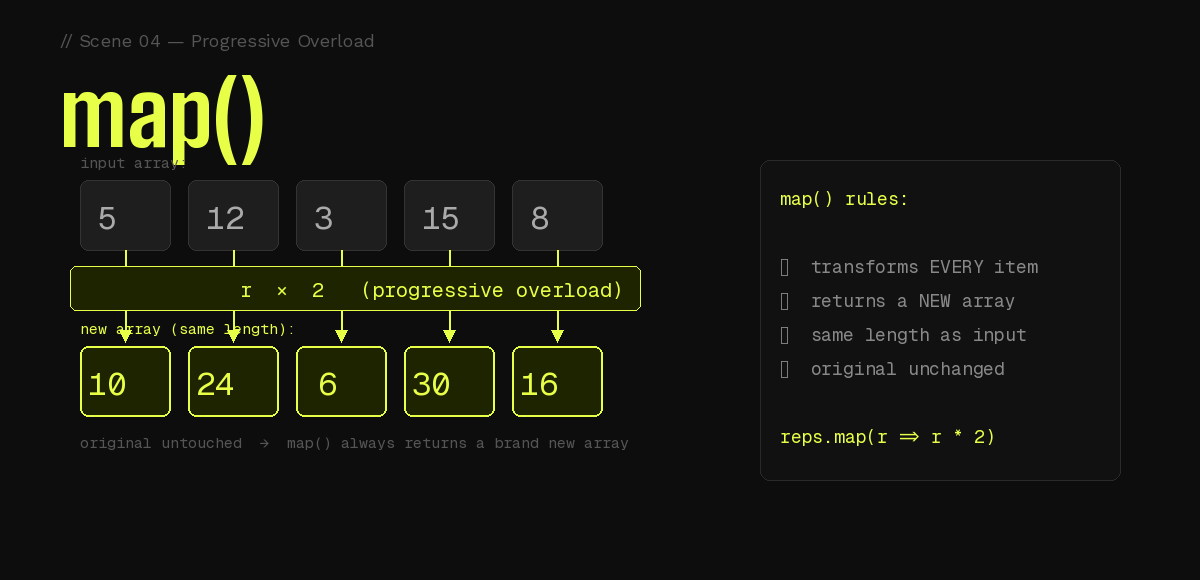
map() does exactly this: it takes every item in your array, applies a transformation function to it, and returns a brand new array of the same length.
The original? Untouched. Coach makes a new training plan — he doesn't erase the old one.
Input:   [  5,  12,  3,  15,  8 ]
            ↓    ↓   ↓    ↓   ↓
          r×2  r×2  r×2  r×2  r×2
            ↓    ↓   ↓    ↓   ↓
Output:  [ 10,  24,  6,  30, 16 ]   ← NEW array, same length
const reps = [5, 12, 3, 15, 8];

// Double every rep count (progressive overload week)
const doubled = reps.map(r => r * 2);
// → [10, 24, 6, 30, 16]

// Convert reps into exercise objects
const exercises = reps.map(r => ({ reps: r, done: false }));
// → [{reps:5, done:false}, {reps:12, done:false}, ...]

console.log(reps); // [5, 12, 3, 15, 8] — untouched!
map() rules at a glance:
Transforms every item
Returns a new array
Original array is never changed
Output length always equals input length
Old way vs Modern way
The old for-loop approach:
const doubled = [];
for (let i = 0; i < reps.length; i++) {
  doubled.push(reps[i] * 2);
}
The modern map() approach:
const doubled = reps.map(r => r * 2);
// cleaner. one line. same result.
💡 If
map()sounds likeforEach()to you right now — hang on. We'll clear that up at the end.
📌Quality Control: filter()
Coach stops you mid-set.
"Those reps under 8? They don't count. Half-reps are wasted effort."
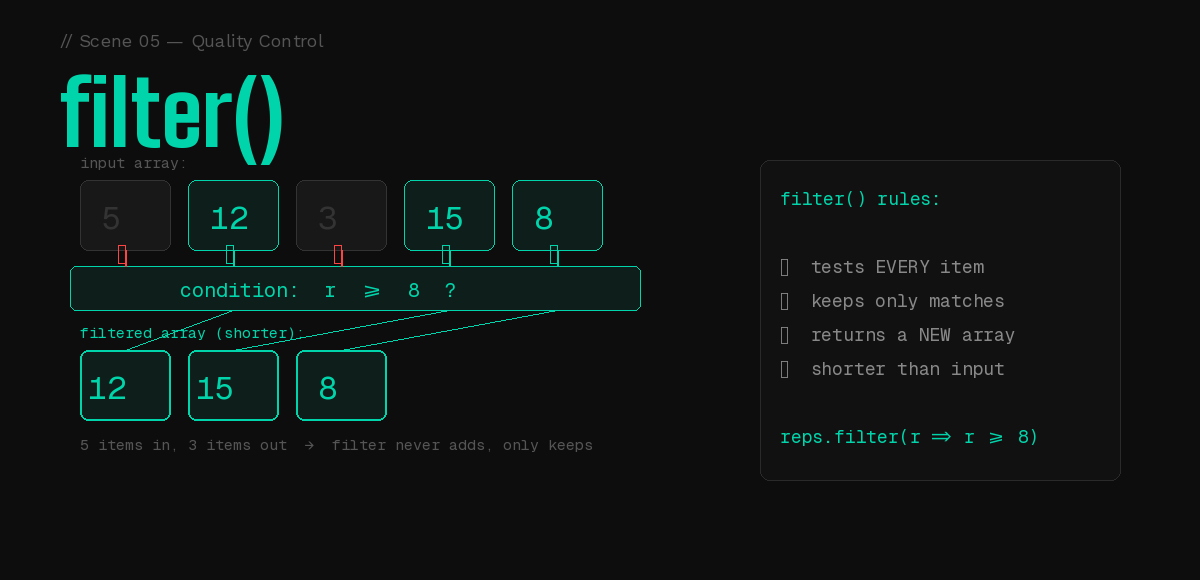
filter() goes through every item and asks one question: does this pass?
If yes → it stays in the new array
If no → gone
The result is a new array that's shorter than or equal to the original.
Input:   [  5,  12,   3,  15,  8 ]
            ↓    ↓    ↓    ↓   ↓
         r>=8? r>=8? r>=8? ...
            ✗    ✓    ✗    ✓   ✓
                 ↓         ↓   ↓
Output:  [      12,        15,  8 ]   ← NEW array (shorter)
const reps = [5, 12, 3, 15, 8];

// Only quality reps (8 or more)
const goodReps = reps.filter(r => r >= 8);
// → [12, 15, 8]

// Athletes who need extra training
const needsWork = reps.filter(r => r < 8);
// → [5, 3]
| Before | After | |
|---|---|---|
filter(r >= 8) |
[5, 12, 3, 15, 8] |
[12, 15, 8] |
filter(r < 8) |
[5, 12, 3, 15, 8] |
[5, 3] |
💡 map transforms every item → same length. filter keeps some items → shorter length.
That's the key difference between them.
📌 Final Score: reduce()
Session over. Coach picks up his clipboard.
"Total volume — all your reps added together — that's your score."
He starts at zero and adds each rep one by one until one final number remains.
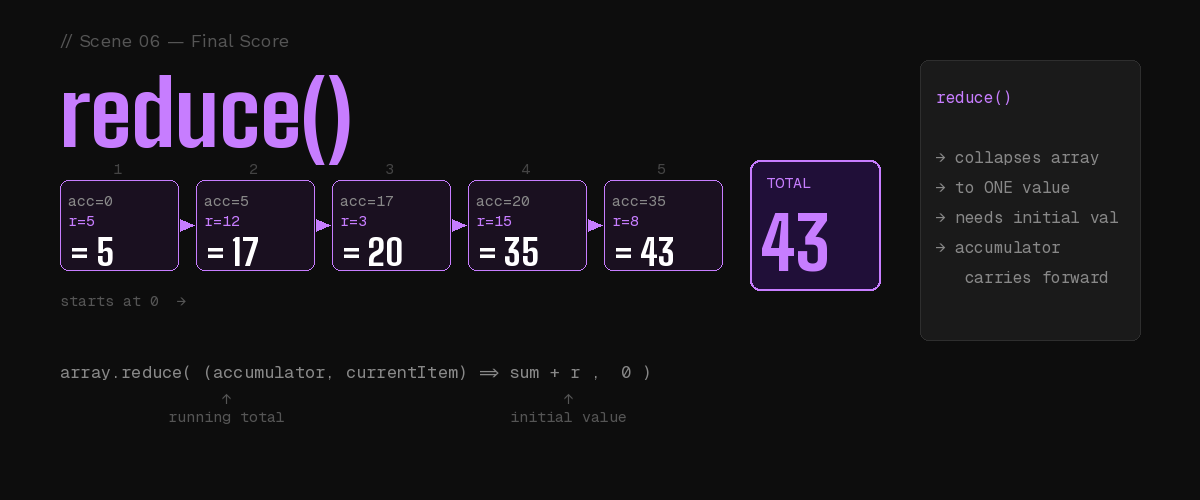
reduce() collapses an entire array into a single value using an accumulator — a running total that updates with every item.
Start →  acc = 0

Step 1:  acc = 0  + 5  = 5
Step 2:  acc = 5  + 12 = 17
Step 3:  acc = 17 + 3  = 20
Step 4:  acc = 20 + 15 = 35
Step 5:  acc = 35 + 8  = 43
                         ↑
                    final score
const reps = [5, 12, 3, 15, 8];

// sum = accumulator (running total), r = current rep
const total = reps.reduce((sum, r) => sum + r, 0);
//                                              ↑
//                                        initial value
console.log(total); // 43
Anatomy of reduce():
array.reduce( (accumulator, currentItem) => {
  return updatedAccumulator;
}, initialValue );
| Part | What it means |
|---|---|
accumulator |
The running total — carries forward each step |
currentItem |
The item being processed right now |
initialValue |
Where the accumulator starts (use 0 for sums) |
💡 Beginner tip: For now, just think of
reduceas "add everything up". The0at the end is the starting point. The deeper power ofreducegets its own episode.
📌 The Debrief: forEach()
Session's done. Coach gathers everyone and reads out each rep count from his clipboard — no changes, no scores, just announcing each one out loud.
That's forEach().
It loops through every item and runs a function, but it returns nothing and changes nothing. Use it when you want to do something with each item — log it, display it, send it somewhere — not transform it.
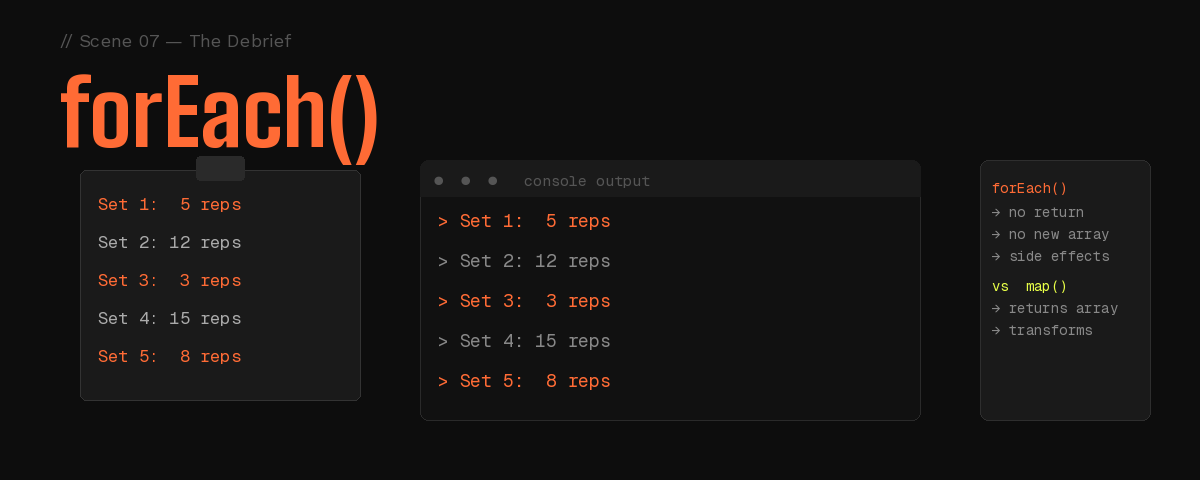
const reps = [5, 12, 3, 15, 8];

reps.forEach((r, index) => {
  console.log(`Set \({index + 1}: \){r} reps`);
});

// Set 1: 5 reps
// Set 2: 12 reps
// Set 3: 3 reps
// Set 4: 15 reps
// Set 5: 8 reps

// forEach returns undefined — don't expect a new array back
🧠 Quick Cheat Sheet
| Method | What it does | Returns |
|---|---|---|
push(x) |
Adds x to the end |
New array length |
pop() |
Removes last item | The removed item |
shift() |
Removes first item | The removed item |
unshift(x) |
Adds x to the front |
New array length |
map(fn) |
Transforms every item | New array (same length) |
filter(fn) |
Keeps items that pass test | New array (shorter) |
reduce(fn, init) |
Collapses to one value | Single value |
forEach(fn) |
Runs a function on each item | undefined |
Pick the right method:
Need a new transformed array?       → map()
Need only some items?               → filter()
Need one value from all items?      → reduce()
Just need to do something per item? → forEach()
Add/remove from the end?            → push() / pop()
Add/remove from the front?          → unshift() / shift()
🏋️ Today's Assignment
Open your browser console. Coach's orders — no skipping.
// Step 1 — Create your training set
const numbers = [3, 7, 2, 14, 9, 5, 11];

// Step 2 — Add a new number to the end
numbers.push(18);
console.log(numbers);
// [3, 7, 2, 14, 9, 5, 11, 18]

// Step 3 — Double every number
const doubled = numbers.map(n => n * 2);
console.log(doubled);

// Step 4 — Keep only numbers greater than 10
const bigOnes = doubled.filter(n => n > 10);
console.log(bigOnes);

// Step 5 — Calculate the total sum
const total = bigOnes.reduce((sum, n) => sum + n, 0);
console.log('Total:', total);

// Step 6 — Print each with its index
bigOnes.forEach((n, i) => {
  console.log(`Item \({i + 1}: \){n}`);
});
💡 Tip: Try each step separately in the console first before putting them together. See what each one returns on its own.
🔑 Key Takeaways
push / pop → add and remove from the end
shift / unshift → add and remove from the front
map → transforms every item, returns a new array of same length
filter → keeps items that pass a test, returns a shorter new array
reduce → collapses everything into one single value
forEach → loops through items, returns nothing
The original array is never mutated by map, filter, or reduce — they always return something new. push, pop, shift, and unshift do mutate the original.
🎯 What's Next?
JavaScript Objects — The Detective's Case File
Detective Aryan gets a sealed envelope. Inside: a JavaScript object with scrambled clues. He has one night to read it, reshape it, and make sure nobody tampers with the evidence.
We'll cover Object.keys, Object.values, Object.entries, destructuring, spread, Object.freeze, and the prototype chain — all through a noir mystery.
If this helped you, drop a reaction and share it with someone who's just getting started with JavaScript. See you in Another banger. 💪